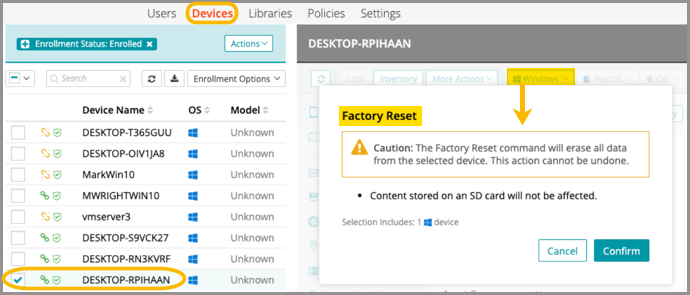
Reset to factory settings
The factory reset command will erase all data from a selected device. The action cannot be undone.
|
|
NOTE: If a user initiates a factory reset of their managed device, KACE Cloud may not be aware of that action, for example, if the device does not have network connection. This will not affect the device re-enrollment, if initiated. |

- Go to Devices in top navigation.
- Select a device.
- In the right panel, click the Windows dropdown list.
- Select Factory Reset, then Confirm.