Skip To Main Content
Account
Settings
Logout
placeholder
Account
Settings
Logout
Filter:
All Files
Submit Search
You are here:
View devices assigned to profile
Go to
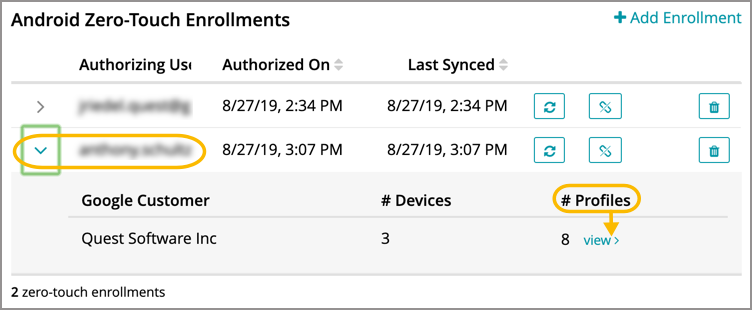
Settings > Android Settings > Zero-Touch Enrollment
.
Select an authorizing user.
Under
#Profiles
column, click
View
.