Administrator Approval
Administrators have the option to configure whether device registrations require an approval or are automatically accepted.
Automatic Acceptance:Enabling automatic acceptance allow registered devices to enter the system without manual approval.
Approval Required: For enhanced security, you can choose to manually approve device registrations. This involves reviewing and approving or rejecting devices pending approval.
To configure administrator approval,
-
Go to the Settings tab in the top navigation.
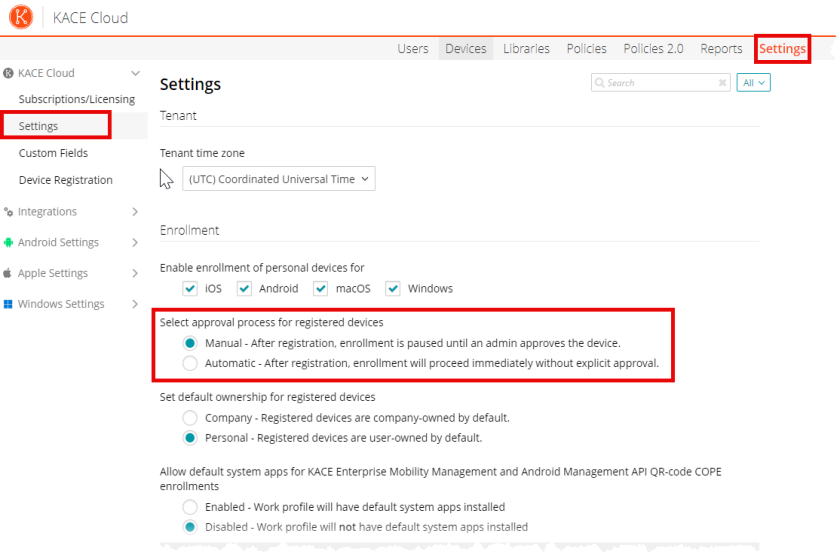
- Click the Settings tab in left pane.
- On the Settings page
, i In the Enrollment section,
select an appropriate option-
- Require approval of registered devices
- Select Enable if admin approval is required.
- Select Disabled if admin approval is not required
- Click Save.
For more information on KACE Cloud Settings click here.