Review device settings and restrictions
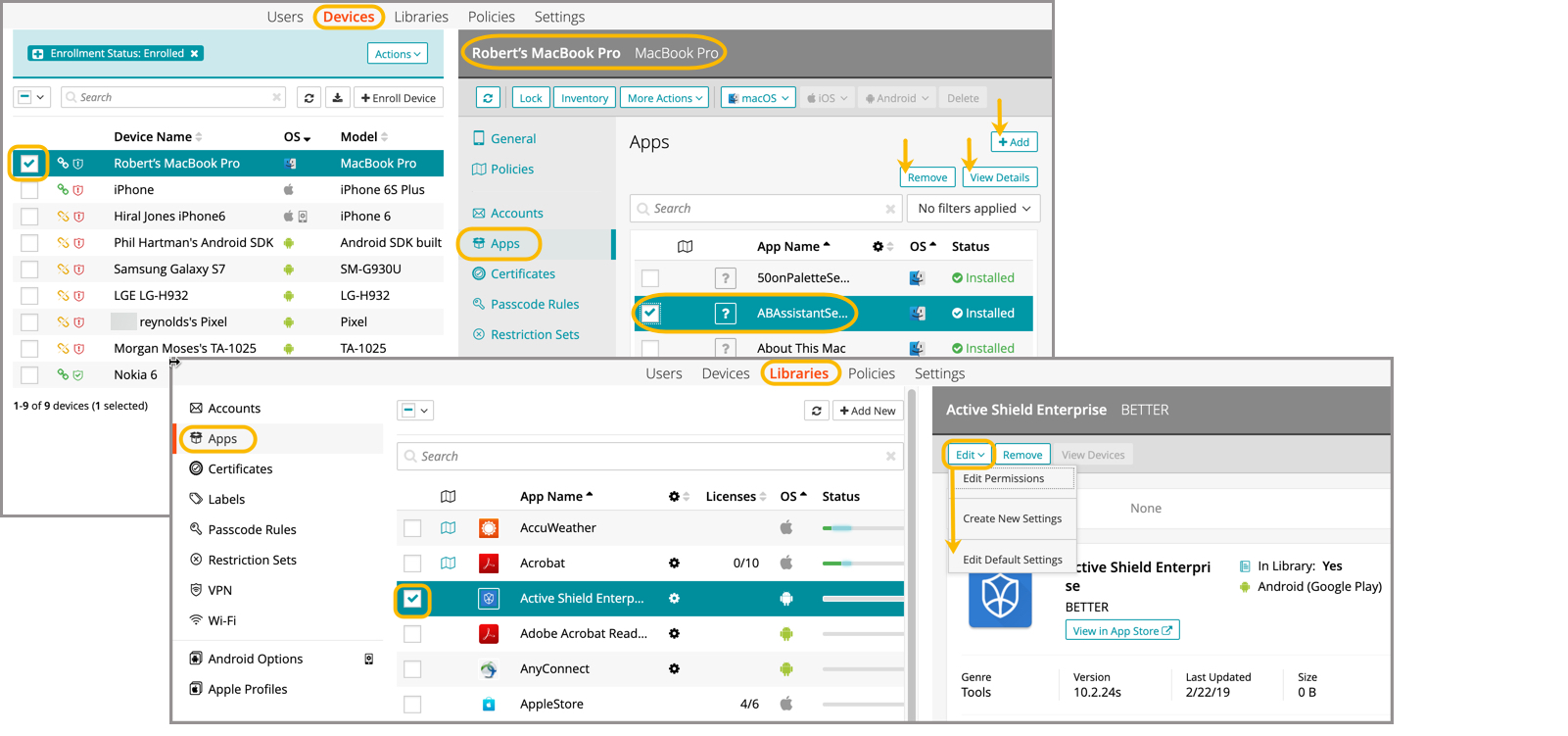
To review device settings and restrictions:
- Select the Devices tab in top navigation.
- Select one or more devices in the list.
When selecting multiple devices, for each category in the right panel, you will see details that apply to at least one of the selected devices. Any restrictions that are not applicable to at least one of the devices will be ignored.
- In the right panel, select a category.
Most categories in the Devices view will allow you to remove, add new, and view details.
To edit settings and restrictions already on a device, you go to the respective library, choose a specific entry from the library list, then edit and update. Here are some examples from the Devices and Libraries views.