View policy changes
The unsent changes are located on individual policy pages. The following are the different statuses for the changes to a policy.
Statuses for Labels:
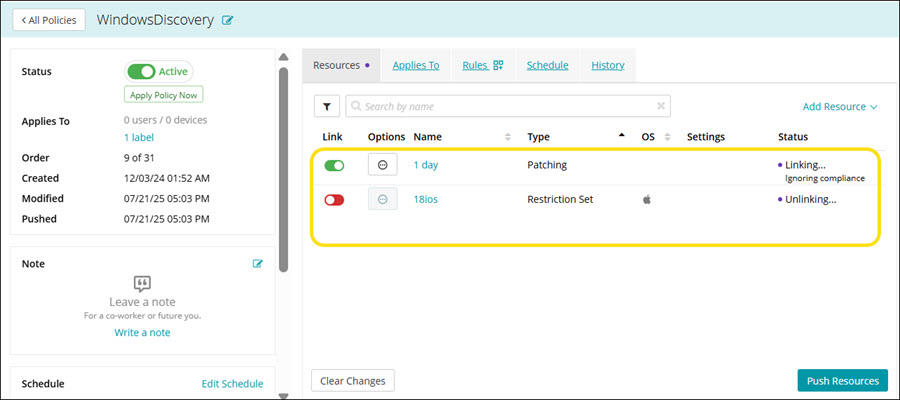
- Linking: Indicates that a resource has been added to the policy but has not yet been pushed. The configuration is in a draft state.
- Linked: Confirms that the resource has been successfully pushed and is now associated with the policy. The configuration is active and ready for enforcement.
Statuses for Resources:
- Unlinking: Shows that a resource is in the process of being removed from the policy. This occurs when a user slides the toggle to left to unlink a resource.
- Linking... Compliance ignored: Indicates that a resource has been added to the policy but has not yet been pushed. The configuration is in a draft state. The Compliance is ignored.
- Linking... Compliance enforced: Indicates that a resource has been added to the policy but has not yet been pushed. The configuration is in a draft state. The Compliance is included.
- Linked - Compliance ignored: Confirms that the resource has been successfully pushed and is now associated with the policy. The configuration is active and ready for enforcement. The Compliance is ignored.
- Linked - Compliance enforced: Confirms that the resource has been successfully pushed and is now associated with the policy. The configuration is active and ready for enforcement. The Compliance is included.
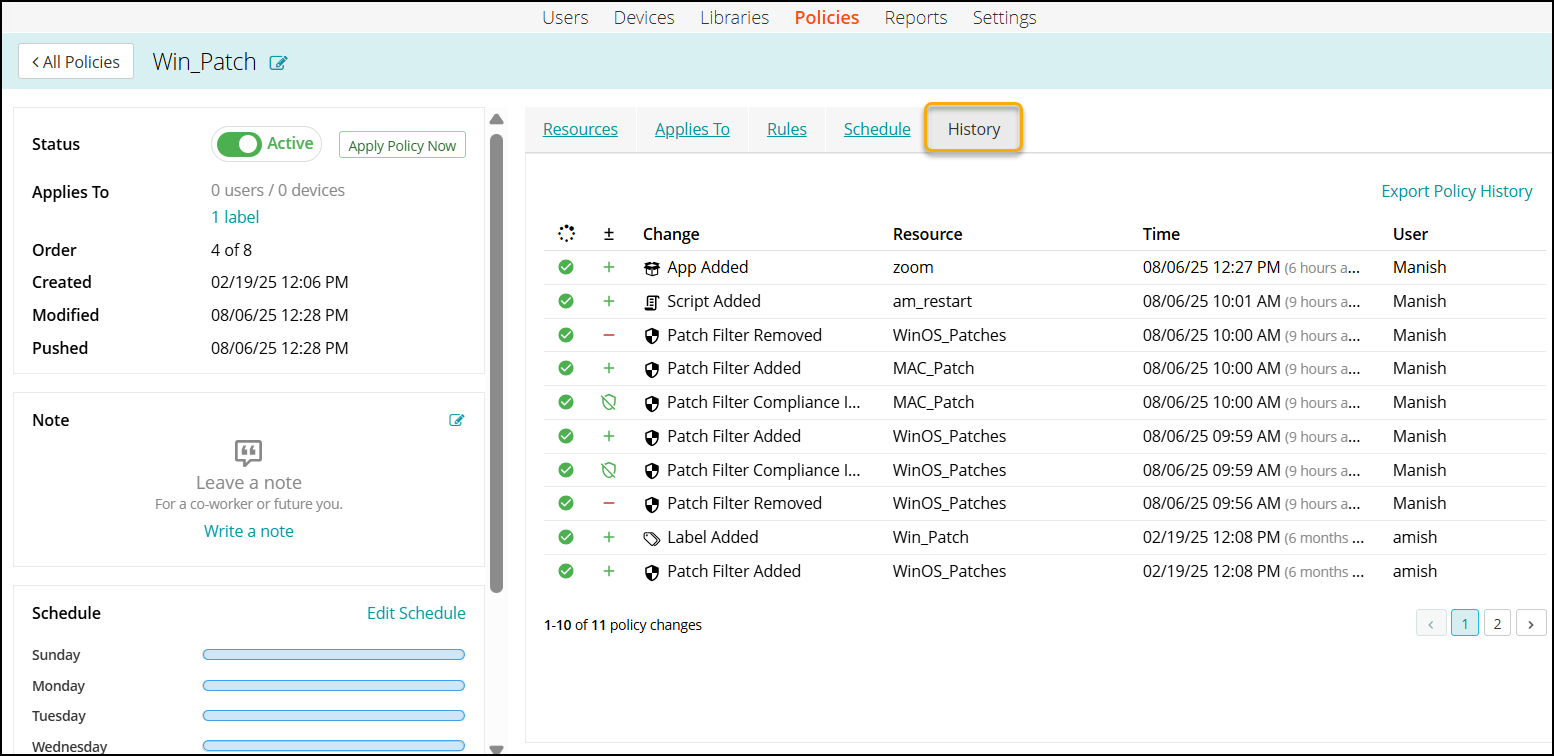
To view the changes done to a policy and the status,
- Go to Policies in top navigation.
- Click an individual policy to open the policy details.
- You can view the changes to the policy in the Resources tab and the History tab.
- Resources tab, in the Status column:
- History is located on individual policy pages:
- Resources tab, in the Status column: