About notifications and alerts
KACE Cloud alerts you about events taking place in the product.
To ensure that our end users can plan accordingly for brief periods of downtime, maintenance notifications will appear in the KACE Cloud product UI at a 7-day and 1-hour interval leading up to our monthly maintenance and release. Each of the notifications is a one-time alert and can be easily dismissed.
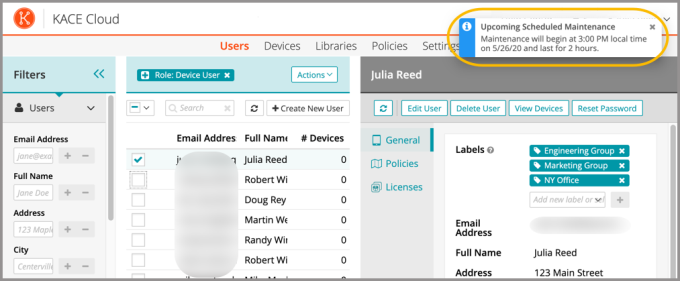
To view the status of all recently issued notifications in KACE Cloud, click the bell icon at the top-right of any admin portal page. Additional details on historical events can be found by selecting a device, then clicking Device History.
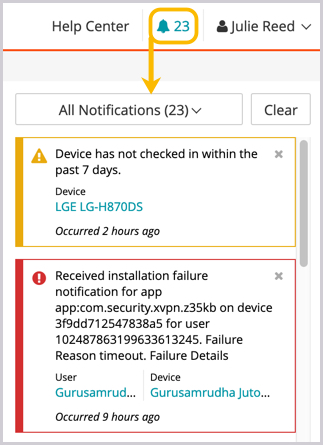
Notifications and Alerts are categorized as ongoing tasks, successful tasks, and warnings/errors.
.png)
To clear a single notification, click the x. To clear all notifications, click the Clear button.
.png)